← Back to site

Turn messages into evidence.

Create evidence-ready exports from texts and co-parenting apps. Runs locally by default.

Looking for Windows?

v1.8.1 • Free to try • No Credit Card Required
Installing on Windows? You may see a security prompt.
Windows may show "Windows protected your PC" — this is normal for new software.
  1. Click "More info"
  2. Click "Run anyway"
We're a small company still building reputation with Microsoft. The app is safe.

CustodyComms is a desktop app.

Your messages stay on your computer — not in the cloud. Send yourself the download link for when you're at your Mac or PC.

or
Download on the App Store

Companion app — view shared matters on the go. Import & analysis requires the desktop app.

What the desktop app does
  • Import texts, emails & co-parenting app messages
  • AI detects incidents across 18 categories
  • Export evidence PDFs with chain of custody
  • Share encrypted evidence with your attorney
  • Everything runs locally on your computer
What happens next
  • 1 Download & install (5 mins)
  • 2 Import and analyze messages
  • 3 Export evidence-ready PDF

Questions? tom@custodycomms.com
Built by a parent who's been there. I reply within 1 business day.

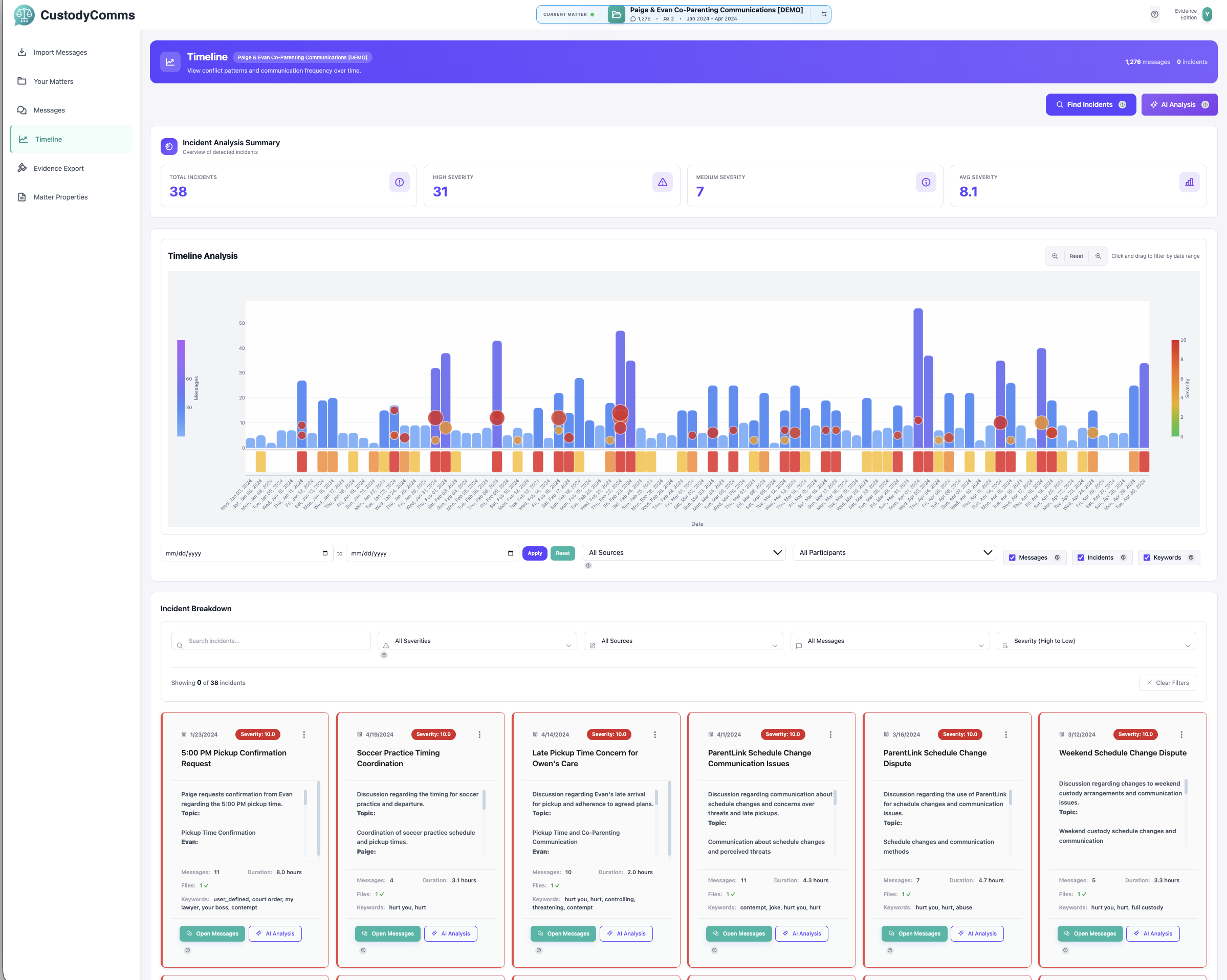
CustodyComms - Timeline Analysis
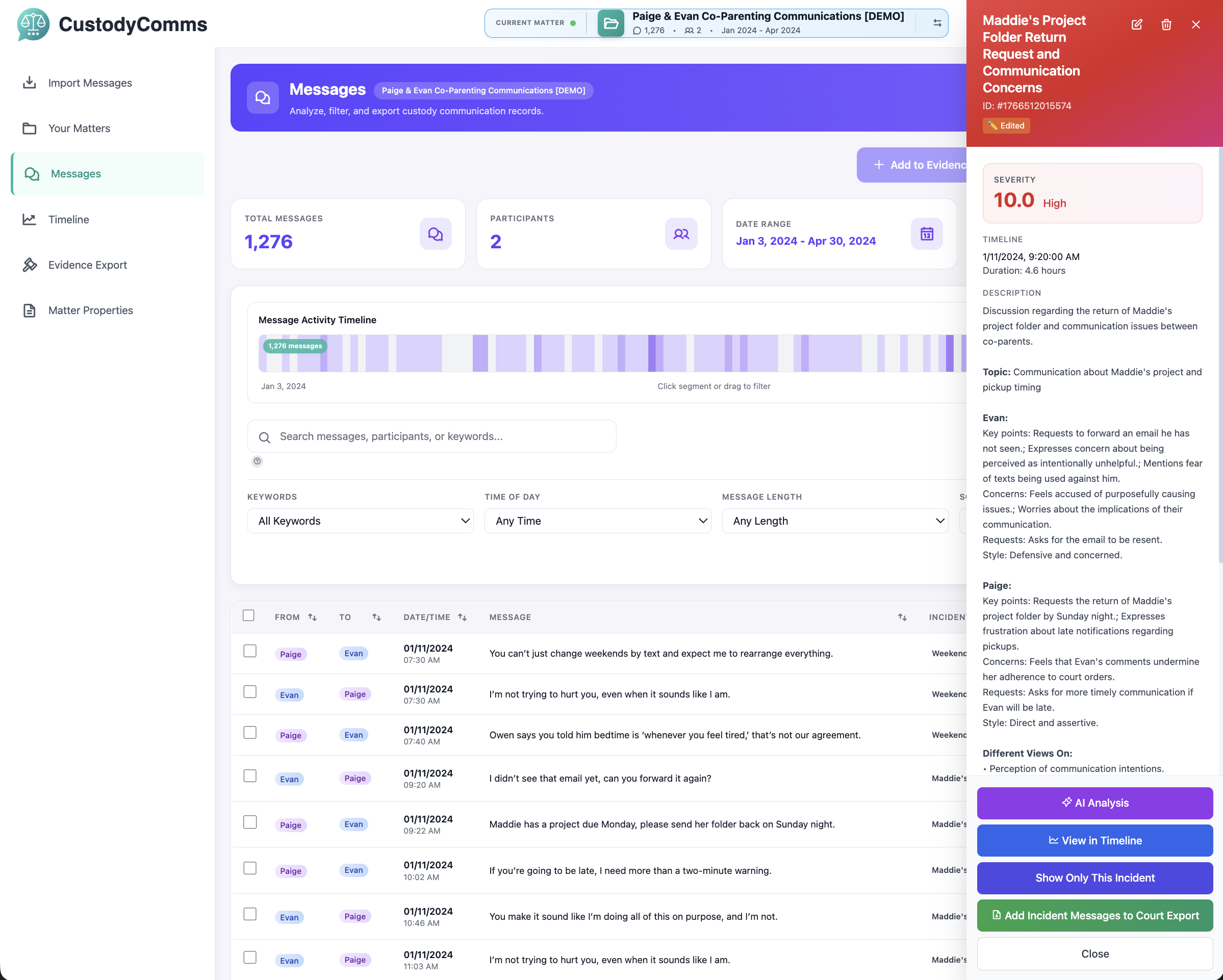
CustodyComms - Message View
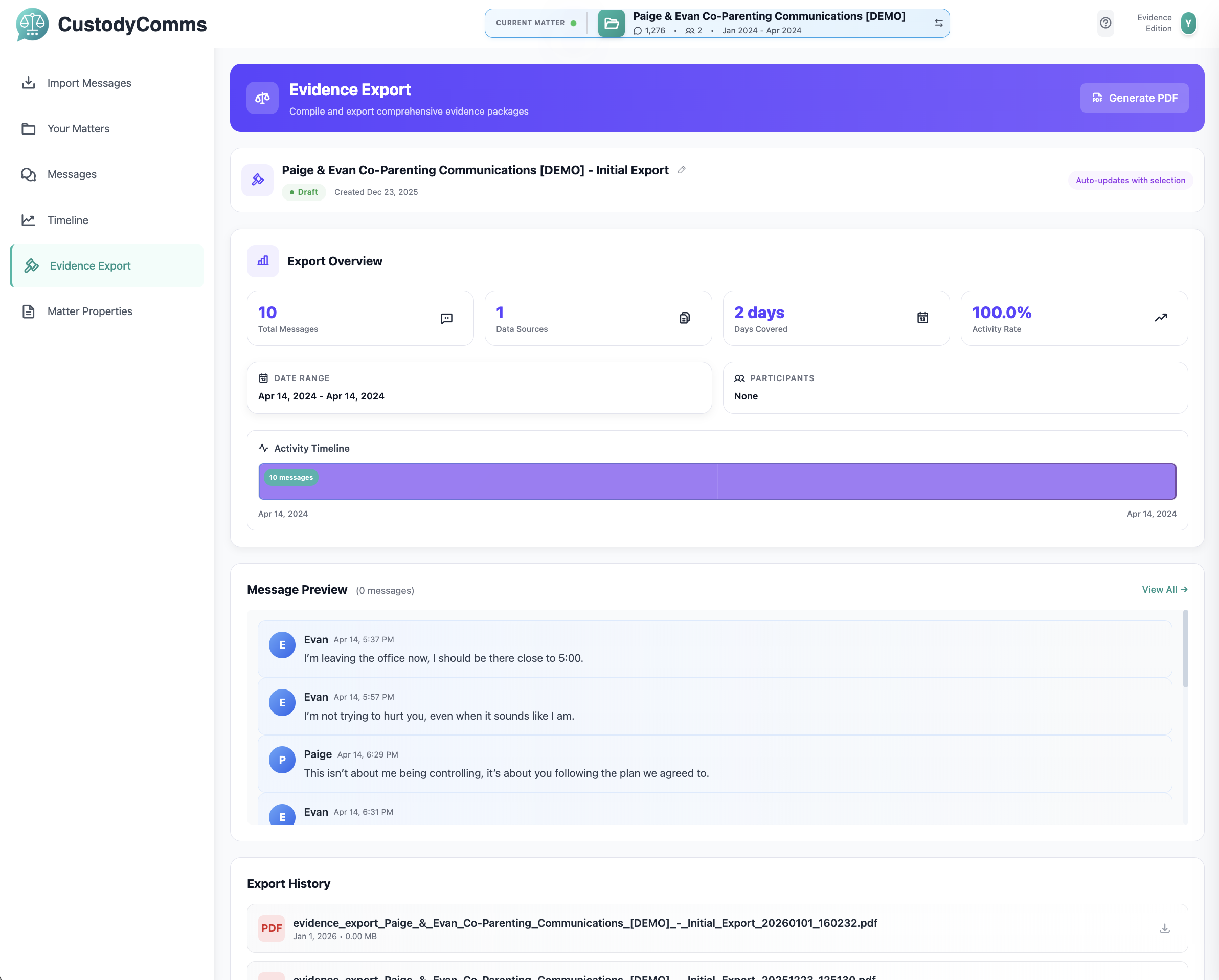
CustodyComms - Evidence Export